Admin
As long as you have an Admin on the Flow Splitter, you can edit your Share Registry and Admins anytime.
Immutable Flow Splitters have their place, but we’re most excited about teams (which inherently evolve) earning/allocating streaming revenue and dynamic allocation use cases. If your split should follow live data instead of a hand-curated list, the API lets an external system rewrite the Share Register for you.
You can navigate to https://flowstate.network/flow-splitters to see all the Flow Splitters you’re a part of—Admin or not.
Profile Names
The Admins and Share Register tables each show a read-only Profile Name beside every address, so you can tell rows apart without decoding hex. Names resolve from Flow State's own known addresses first, then the address's Flow State profile, then ENS. An address with none of those reads N/A. The column isn't shown on small screens, where the rows already carry several controls.
Visibility
A Flow Splitter is either Listed or Unlisted. Only Listed Splitters are meant for public discovery surfaces; Unlisted ones stay fully functional and remain accessible to anyone with a direct link. New Splitters default to Unlisted, so listing is opt-in. Admins can change visibility anytime from the admin page—the setting is stored in the pool's onchain metadata, so saving it is its own transaction.
API
The API card at the bottom of the admin page lets an external system (a metrics job, a revenue feed, a cron script) replace the Share Register with no human signing anything. You post relative weights, the platform normalizes them, and the Flow State bot signs the onchain updates.
Everyone sees the endpoint reference and the current Share Register. The privileged actions need you to hold Admin on the pool, and they ask for different things beyond that: granting the bot is an onchain transaction, so it needs a wallet connected on the pool's chain and nothing more, while unlocking writes and managing keys need Sign In With Ethereum from the card.
A pool with no admins is permanently immutable, and a pool with transferable shares lets recipients move shares between writes, so the register the API believes it owns can be changed by someone else. Both are fixed at launch. The card hides everything but the explanation on those pools, and every API call is refused.
Unlock API writes
Programmatic writes are unlocked per pool with a one-time payment of 10 USDC, sent on the pool's chain to the Flow State bot's address. The Flow Splitter API is in beta, and the payment unlocks writes for the pool through the beta period; if pricing changes at graduation, beta payments count toward the new model. The card's first step leads with Pay 10 USDC to unlock and shows a green check once the payment is counted. Reads, key minting, and job polls work without paying, so an integration can be built and tested end to end first; a write on a locked pool is refused with a clear error rather than accepted and dropped. OP Sepolia pools are not gated, so a testnet integration costs nothing.
Pay from the wallet you signed in with. A payment is claimed for the pool by the wallet that sent it, or by the wallet the USDC left when a contract wallet such as a Safe pays through an executor, which is what stops anyone else claiming yours. If verification is interrupted after the transfer went out, the step swaps the pay button for a refresh icon and says the payment isn't lost; the refresh retries the check, and the payment is found and counted rather than charged twice. If the browser that paid lost track of the transaction, Already paid? Verify the transaction takes the transaction hash, or a block explorer link to it, and verifies the same payment by hand.
Grant the bot admin
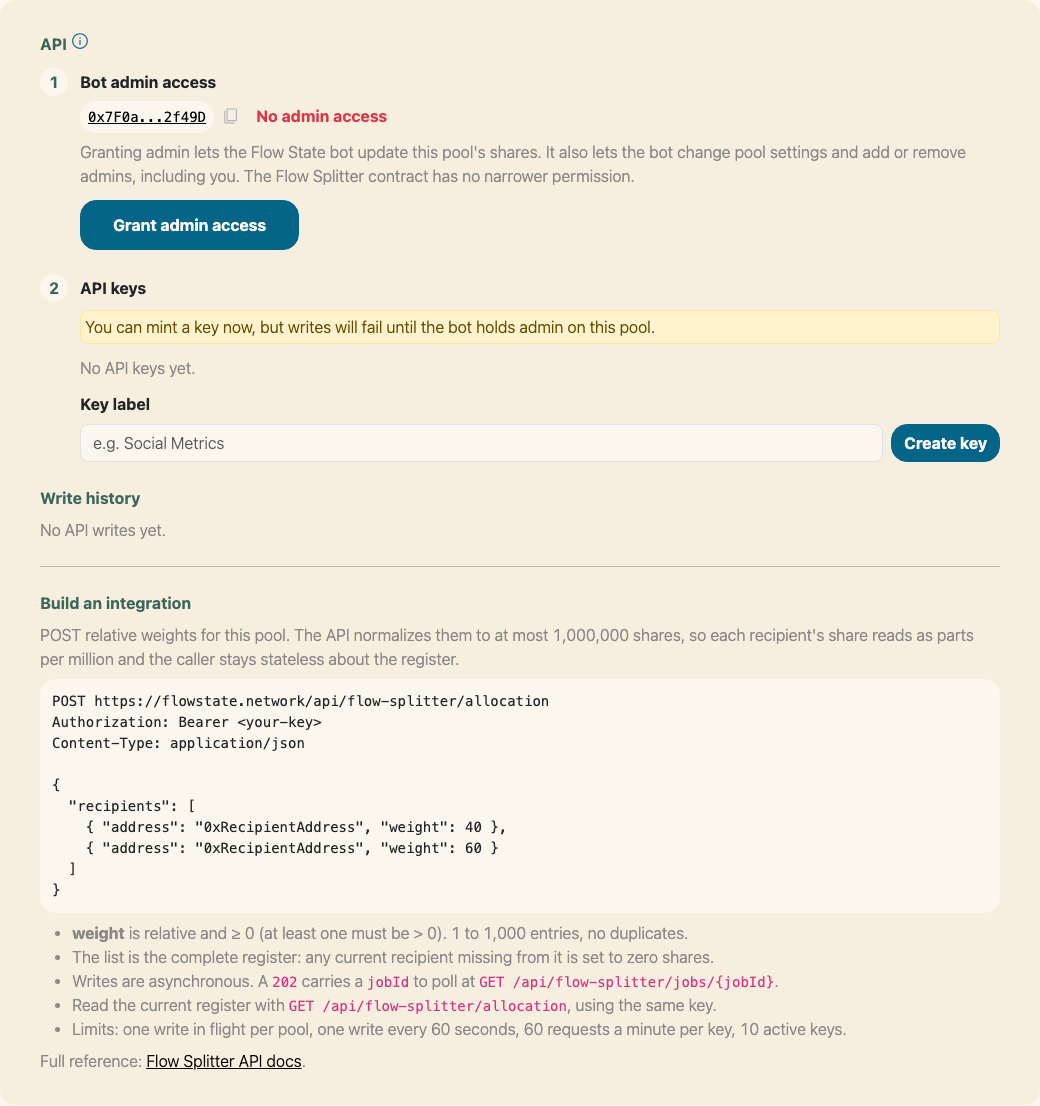
The API card before the bot has been granted admin.
The card shows the Flow State bot's address and whether it currently holds Admin on this pool. Grant admin access adds the bot to the pool's admin set in a single transaction, and the status flips to Has admin access once it confirms. The bot then appears in your Admins table as F(S) Automation Bot.
Granting admin lets the Flow State bot update this pool's shares. It also lets the bot change pool settings and add or remove admins, including you. The Flow Splitter contract has no narrower permission.
You can mint keys before granting, but writes fail until the grant lands. If the bot loses admin later, writes stop with a clear error and your keys are left in place, so re-granting resumes the integration without re-keying.
Create and revoke keys
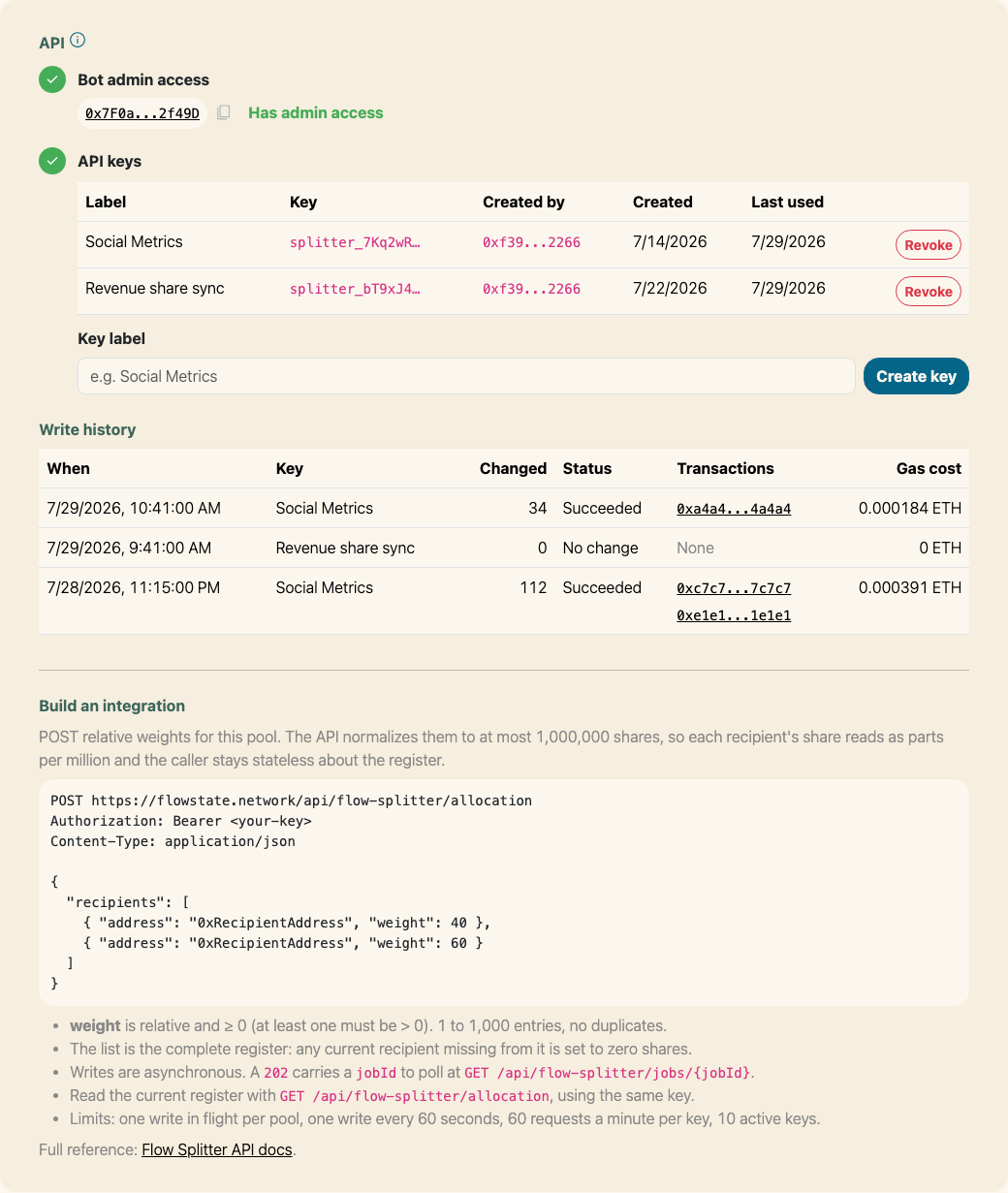
Keys and write history, once an integration is running.
Give the key a label you'll recognize ("Social Metrics") and click Create key. The token is shown once, with a copy button. It is never stored in plaintext and can't be retrieved again; if you lose it, revoke the key and mint another.
The table lists each key by label and prefix, which admin created it, when it was created, and when it was last used. Revoke asks for a confirm, then blocks that key immediately. Revoking does not cancel a write that was already accepted. A pool can hold 10 active keys; revoking one frees a slot.
A key carries the authority of the admin who minted it, so removing that admin from the pool stops their keys working. Mint from an account you intend to keep as an admin, and re-key from a current admin if you remove the one an integration depends on.
Hand the token to your external system and point it at the endpoints in Build an integration on the card. The full request format, limits, and error codes are in the Flow Splitter API developer reference.
Write history
Every API write is recorded: when it ran, which key sent it, how many recipients changed, the result, links to each transaction on the block explorer, and what it cost in gas. A resubmitted payload that changed nothing is listed as No change rather than as a write, and a Failed write names the transactions that did land. Load more pages back through older writes.
Editing shares by hand
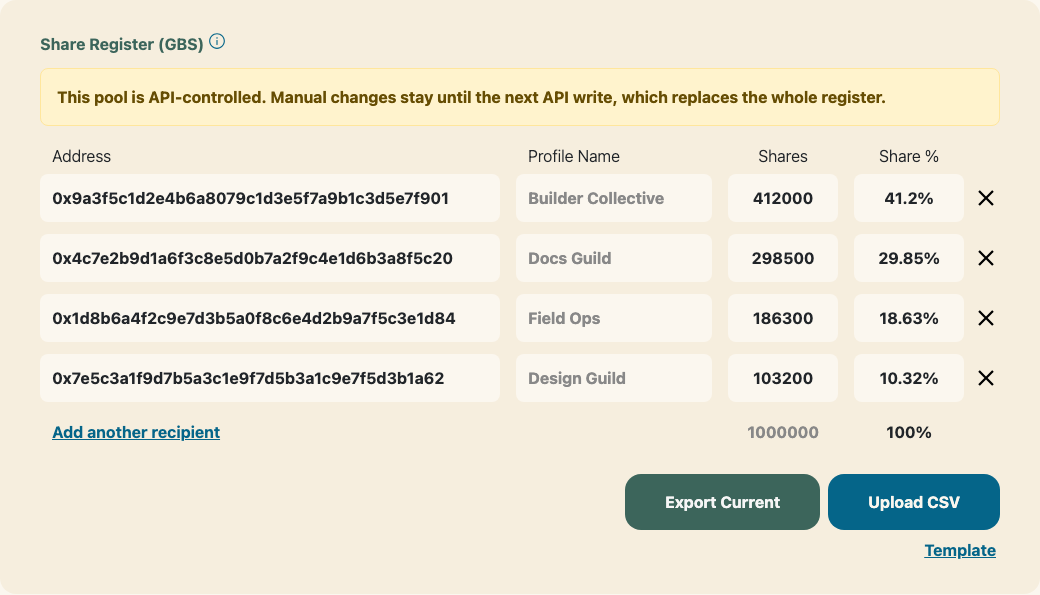
The Share Register on a pool with an active API key.
Manual editing stays enabled on an API-controlled pool, and the Share Register says what will happen to your edits. Each API write is a full replacement: whoever is missing from the payload is set to zero shares, so a hand-added recipient survives only until the next write.
Turning an integration off
Revoking every key stops new writes. Removing the bot from the Admins table stops them too, and can be undone by granting again. Both are easy to do by accident while editing something else, so each takes an explicit confirm before the transaction is signed.
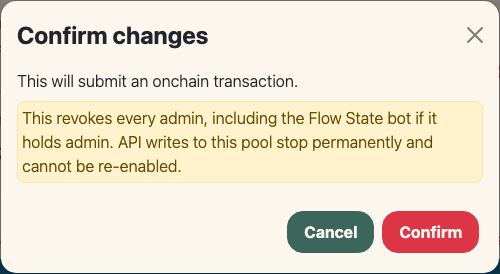
The confirm shown before switching an API-controlled pool to No Admin.
Switching the pool to No Admin is the permanent one: it revokes every admin, including the bot, and no key can ever be used on that pool again.