Launch
You can deploy a Flow Council yourself—no code required—from the launchpad. Flow Councils are available on Arbitrum One, Base, Celo, and OP Mainnet.
Each Flow Council is configured to distribute a single Superfluid Super Token. Flow State natively supports many popular Super Tokens, but also allows deployers to set any valid Super Token contract address as the distribution currency. Once deployed, this token selection cannot be changed.
Launching a council also deploys a SuperApp Splitter—the contract incoming funding streams route through. After launch, operators manage the round's funding from the Funding page: sponsoring the funding stream, topping up the splitter, and scheduling or closing the round. Anyone can add to the funding anytime by Growing the Pie.
By default, Flow Councils are open-ended. On councils with a splitter, operators can schedule a round end date from the Funding page—once it passes, the round stops accepting incoming streams.
From the Metadata page, operators set the round's public name and description and choose whether it is Listed (surfaced on public discovery pages) or Unlisted (fully functional, reachable by direct link). New rounds default to Unlisted.
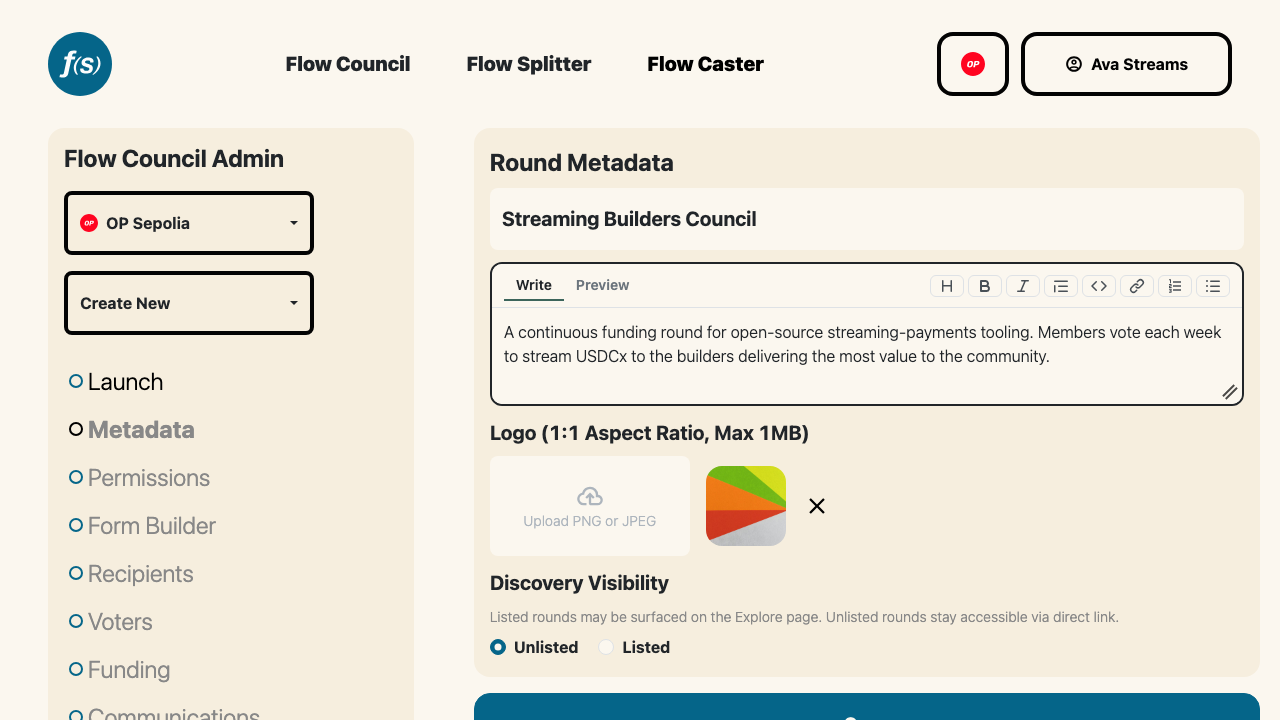
Setting the round name, description, and visibility.
Permissions
The deploying address is set as the Flow Council Super Admin by default. From the Permissions page, a Super Admin can grant any address one or more roles:
- Super Admin — full control, including managing other admins and every setting below.
- Voter Review — manages Council membership and voter groups.
- Recipient Review — reviews applications and manages the recipients in the distribution pool.
Once a voting policy has been set and recipients have been added to the Flow Council, a Super Admin can remove themselves and all other admins to make the configuration immutable. See Permissions for details.