Permissions
A Flow Council's privileged actions are gated by onchain roles. The Council Permissions page of the launchpad is where a Super Admin grants and revokes them. There are exactly three roles:
- Super Admin (
DEFAULT_ADMIN_ROLE) – full control of the council, including adding and removing other admins. The wallet that deploys the council is its Super Admin by default. - Voter Review (
VOTER_MANAGER_ROLE) – manages Council membership and voter groups. - Recipient Review (
RECIPIENT_MANAGER_ROLE) – reviews applications and manages recipients in the distribution pool.
Granting roles
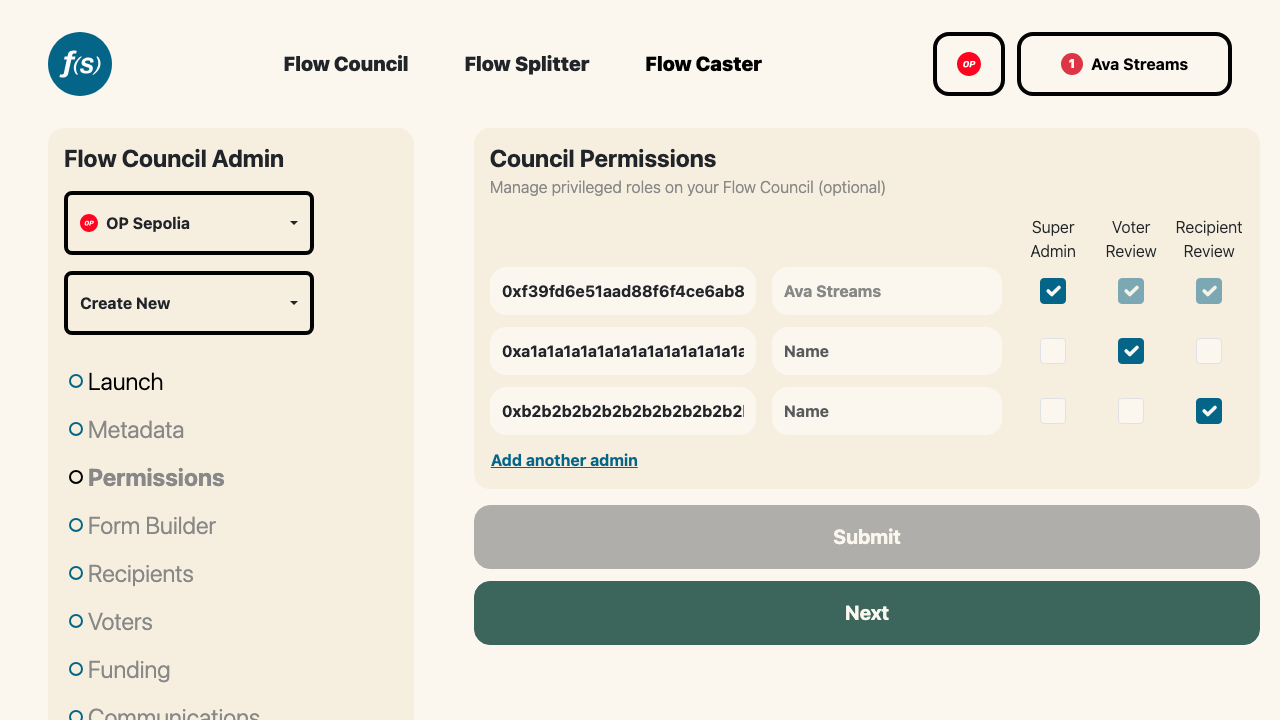
Granting roles to addresses on the Permissions page.
On the Council Permissions page, a Super Admin enters a Manager Address and checks the box for each role that address should hold. Add as many addresses as you need with Add another admin, then Submit to write the changes onchain.
A single address can hold any combination of roles. Checking Super Admin implies the other two—a Super Admin can do everything a Voter Review and Recipient Review manager can.
The page is read-only unless your connected wallet is a Super Admin. Connect and sign in with an admin wallet to make changes.
Automated eligibility
For councils with a GoodDollar or NFT Holder voter group, a Flow State–sponsored bot is granted the Voter Review role so it can add self-claiming voters automatically. It's the same one-time grant for both methods, and it's offered during group creation. Revoking that role from the bot is the kill switch for self-claim: claims stop working and voters are told eligibility is temporarily unavailable. See Council Membership for the full flow.
Going immutable
If you remove the last Super Admin, the council's permissions become immutable—no address can ever grant or revoke roles again. The page warns you before you submit a change that would do this. Only proceed if you intend to lock the configuration forever.